How to act during a virtual interview?

The shift to remote hiring means that nailing the logistics of your setup is now as critical as perfecting your handshake was a decade ago. Simply being present online isn't enough; you need to command the digital space, projecting competence and engagement through a screen that inherently separates you from the person across the table. Success in a virtual interview hinges on meticulous preparation across three main areas: the technical foundation, the physical presentation, and the interactive performance. [1][7] Mastering these elements transforms a necessary digital hurdle into a genuine opportunity to showcase your suitability for the role.
# Tech Setup

Before any practice answering behavioral questions, the technology supporting the interview must be completely invisible to the process. Unreliable Wi-Fi, poor audio, or a malfunctioning link can derail your entire presentation before you even introduce yourself. [5]
# Connection Stability
A stable internet connection is the bedrock of a successful remote meeting. [4] If possible, opt for a wired Ethernet connection over Wi-Fi, as this drastically reduces the chance of sudden drops or lag spikes that cause awkward pauses. [7] If you must use Wi-Fi, ensure you are the only one heavily using bandwidth in your location during the interview time. It is wise to have a backup plan, such as knowing the phone number for the recruiter in case the video feed completely fails, allowing you to switch to an audio-only call immediately rather than disconnecting entirely. [3]
# Audio Quality
Audio often trumps video quality in terms of first impressions. Muffled sound or echoing feedback makes it difficult for the interviewer to focus on your content. [1] If you have access to an external microphone—even a simple headset mic—use it. Laptop microphones are often designed to pick up ambient room noise, which can distract the hiring manager. [6] Test your microphone levels well in advance to ensure you aren't too loud or too soft, and confirm that you are using the correct input device within the meeting software before joining. [7]
# Platform Familiarity
Interviewers might use various platforms, from Zoom and Microsoft Teams to specialized interview software like VidCruiter. [5] Do not assume familiarity with the required software. Download the application, create an account if necessary, and conduct a test call with a friend using the exact platform intended for the interview. [1] Pay attention to where the mute button is, how to share your screen (if required), and how to adjust your name display so it shows your actual name, not a generic device ID. [3]
# Physical Environment

The backdrop of your interview speaks volumes about your organizational skills and professionalism. What the interviewer sees behind you is part of your application, much like the cleanliness of your desk in an in-person meeting. [6]
# Lighting Strategy
Proper lighting is crucial for visibility, but many candidates overlook this, often leading to harsh shadows or silhouettes. [4] The ideal setup involves having your primary light source in front of you, illuminating your face evenly. [6] Avoid sitting with a bright window directly behind you, as this turns you into a dark silhouette against the light, forcing the interviewer to strain to see your expressions. [1] A simple ring light or positioning yourself facing a well-lit window often works better than overhead room lighting, which can cast shadows under your eyes and nose. [7]
# Background Distraction
The background should be neutral, professional, and entirely free of clutter. [3] A blank wall, a neat bookshelf, or a deliberately professional virtual background (if company policy permits and it looks natural) are good choices. [4] Identify and remove or mute any potential physical distractions, such as pets or family members, that might enter the room during the session. [2] Furthermore, silence every notification on your computer and phone—not just your ringer, but all pop-up banners for email, social media, or news alerts—as these can interrupt your focus and appear on screen. [1][7]
# Framing and Positioning
Where you sit in the frame dictates how engaged you appear. [4] Generally, frame yourself from the chest or waist up, similar to how you would position yourself for a standard professional photograph. [6] Ensure your eye line is approximately level with the top third of the camera lens. [1] You should be seated upright, avoiding slouching, which conveys low energy. [3] If your camera is positioned too low, you might end up looking down at the screen, which can translate as disinterest to the viewer. Using books or a stand to raise your laptop to the correct height is often necessary. [7]

# Nonverbal Cues

In the absence of physical presence, non-verbal communication must be amplified intentionally through the camera. Your body language has to work harder to convey the same level of sincerity and attention. [1]
# The Camera Gaze
This is perhaps the most challenging aspect of virtual interviewing. When you look at the interviewer on your screen, you appear to be looking away from the camera, which the interviewer perceives as a lack of direct engagement. [6] To counter this, you must practice looking directly into the camera lens when speaking and listening intently. [1]
Original Insight 1: To master the camera gaze without constantly staring blankly into the lens during listening periods, try this calibration exercise: place a small, identifiable sticker or piece of tape immediately adjacent to the camera lens on your monitor bezel. When you are speaking, look at the sticker. This trains your eyes to be focused in the exact spot the camera captures, making your gaze appear direct and attentive to the interviewer, even if your eyes are momentarily drifting slightly off the exact center point.
# Posture and Movement
Maintain an engaged posture. Sitting up straight signals alertness and professionalism. [3] While fidgeting with hands or tapping feet is distracting in person, it is often amplified on video. Try to minimize unnecessary physical movement. [4] Using hand gestures to emphasize points is acceptable, but keep them within the camera frame and use them purposefully rather than constantly twitching. [7] Sitting squarely toward the camera rather than at a sharp angle also helps convey directness. [6]
# Active Listening Signals
Since you cannot lean in or nod as easily, you must consciously signal that you are absorbing what the interviewer is saying. [2] Use slightly exaggerated nods and brief verbal affirmations like "Yes," or "I see," at appropriate pauses to show you are tracking the conversation. [1] This active listening is essential because the slight audio lag inherent in many video calls can make it seem like you haven't heard the question if you wait too long to respond. [3]
# Interview Performance

Once the environment and your presence are optimized, the focus shifts to how you handle the conversation itself.
# Pacing and Tone
Virtual communication often compresses the natural flow of dialogue. People tend to interrupt each other more frequently or speak too quickly due to lag. [7] Be conscious of your speaking pace. It is often beneficial to speak slightly slower and more deliberately than you would naturally, ensuring crisp articulation. [4] Pause for an extra beat after the interviewer finishes speaking before you begin your answer; this small gap confirms they are done and prevents you from cutting them off. [3]
Original Insight 2: Given that video compression often flattens vocal dynamics and expression, consciously injecting a slight increase in vocal pitch variation and energy level above what feels natural can be highly effective. In person, subtle shifts in tone convey interest; on camera, these shifts often register as flat or monotone. By aiming for a slightly more animated delivery than you might use in the room, you counteract the digital flattening, ensuring your enthusiasm translates across the connection.
# Handling Questions
Prepare your answers as usual, but consider how you will deliver them via video. Keep your responses concise and focused, as long monologues are harder to track remotely. [7] If you need a moment to gather your thoughts, it is perfectly fine to say, "That's a thoughtful question, please give me just a moment to structure my thoughts," rather than enduring an awkward silence. [3] If you don't fully hear a question due to a momentary glitch, ask for clarification immediately rather than guessing, perhaps saying, "Apologies, there was a brief disruption—could you repeat the final part of that question?". [1]
# Dressing the Part
While you are at home, the expectation for professional attire remains high, if not elevated. [4] Dress as you would for an in-person interview at that specific company level. [6] Consider the background when choosing colors; avoid busy patterns that might cause visual interference or colors that clash severely with your backdrop. [7] Crucially, dress fully, even if only the top half is visible. This psychological trick can help you feel more prepared and professional, preventing an embarrassing situation if you unexpectedly need to stand up. [3]
# Preparation Checklist
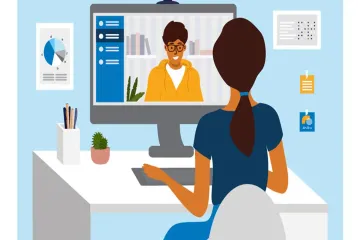
A virtual interview requires an added layer of pre-game checks that go beyond researching the company. Creating and adhering to a specific checklist ensures technical readiness. [1][7]
| Preparation Item | Action Required | Source Importance |
|---|---|---|
| Technology Check | Test camera, mic, and internet connection speed. | High [1][4][7] |
| Software Login | Download, install, and log into the platform 15 minutes early. | High [1][5] |
| Lighting Review | Ensure light source is in front; avoid backlighting. | Medium [4][6] |
| Background Staging | Clear clutter; ensure professional, distraction-free setting. | High [3][6] |
| Notes Placement | Place key notes discreetly near the camera lens, not on the screen. | Medium (Implied practice) |
| Wardrobe | Dress professionally from head to toe. | High [3][4] |
| Hydration | Keep water handy but placed out of camera view. | Low/Implied [2] |
Some sources advise having your notes or resume open on a second monitor or printed out nearby, but you must train yourself not to read directly from them. [7] If you are using paper notes, place them physically near the camera lens so that when you glance down, your eyes move only slightly off-axis, maintaining a sense of direct engagement. [6]
# Closing Strong
The end of the interview is often rushed or mishandled in virtual settings due to the difficulty in reading non-verbal cues about when to stop talking. [2] Conclude with clarity and purpose.
# Asking Questions
Always have thoughtful questions prepared for the interviewer. [3] When asking your questions, maintain the same focus and energy you demonstrated during your answers. These questions reflect your level of interest in the day-to-day realities of the role. [1] If the interviewer offers to connect you with other team members, ensure you clarify the best contact method and timeline for those next steps. [7]
# Final Sign-off
When the interview is concluding, make sure you explicitly thank the interviewer for their time. [4] Visually confirm that the interviewer has ended the meeting on their side before closing your own window. Sometimes, ending your connection too quickly can seem abrupt if the other party was still wrapping up their thoughts or attempting to send a final message. [3]
# Post-Interview Follow-Up
The email thank-you note remains essential, perhaps even more so now, as it serves as the final, polished piece of written communication connecting you to the organization. [1] Send this email within 24 hours. [4] Use the email to briefly reiterate your excitement, mention a specific, positive topic you discussed (which also shows you were paying attention), and confirm your understanding of the next steps outlined at the close of the meeting. [7] This final act solidifies the positive impression you built through your technical and personal presentation during the live session. [5]
Related Questions
#Citations
8 Tips for Acing Your Next Virtual Interview
Virtual interview advice?
Seven Tips for Nailing a Virtual Interview
Video interviews tips
Video Interview Tips: Guide to Acing Your Job Interview
Tips for Virtual Interviews - Duke Career Hub
Virtual Interviewing Tips